
Website + Portal Integration
🌐 Turn Your Event Website Into an Adoption Engine! Your event attendee portal and website are prime real estate for driving DeepL adoption. These high-traffic touchpoints reach attendees when they're already engaged and planning their event experience—making them perfect for introducing audio features, setting expectations, and providing essential preparation guidance. From strategically placed banners and must-have guides to session-specific alerts, your web presence becomes a powerful tool for educating attendees about available audio options and ensuring they come prepared to fully engage with your event's enhanced audio experience. 🎧
Strategic Placement Guidance
Homepage Banner
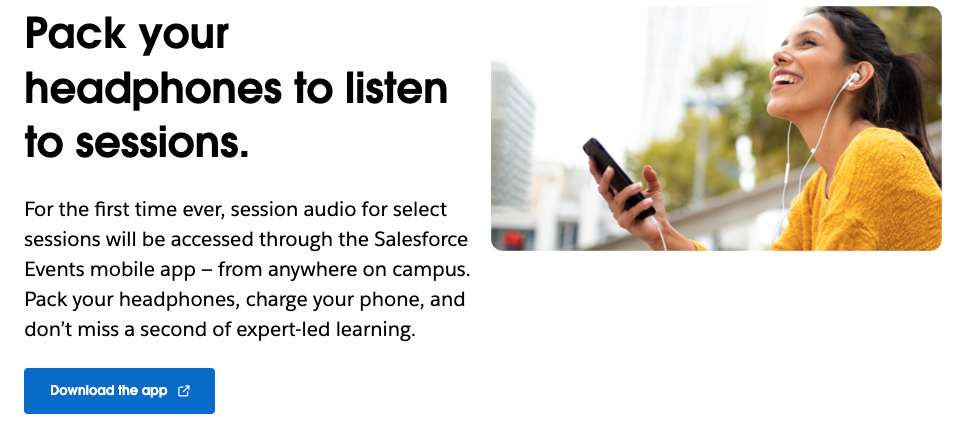
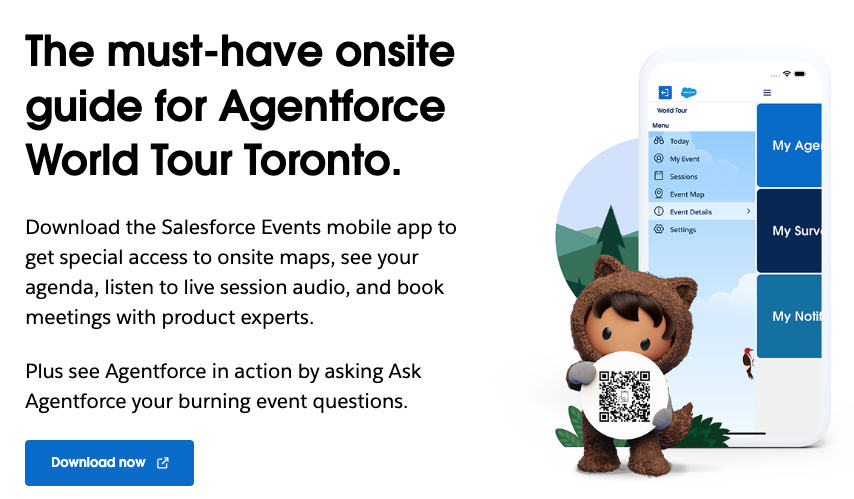
Position audio feature announcements prominently on your event homepage where they'll get maximum visibility. Place banners above the fold or in hero sections to catch attendees during their initial visit. Use eye-catching visuals and clear value propositions like "Enhanced Audio Experience Available" with direct links to more information or app download.
Event Schedule Integration
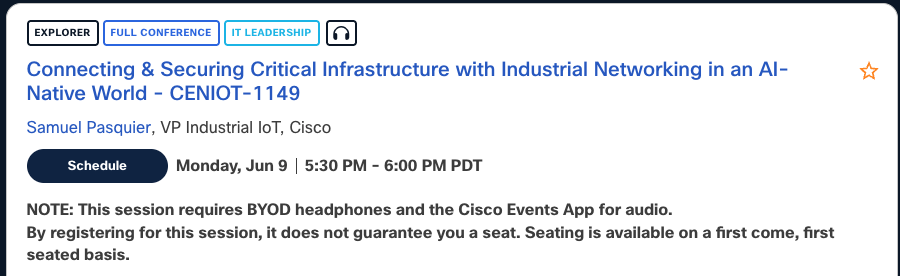
Add audio icons or badges next to sessions that support DeepL features. This contextual placement helps attendees understand which specific sessions offer enhanced audio, language translation, or exclusive content. Consider using consistent iconography (headphone symbols, language flags) that attendees can quickly recognize throughout the schedule.
Pre-Event Email Campaigns
Include website links in email campaigns that drive traffic to dedicated audio information pages. Create landing pages specifically for email traffic that provide comprehensive setup instructions and feature benefits. Use trackable links to measure conversion from email to app download.
Registration Confirmation
Integrate audio feature callouts directly into registration confirmation pages and follow-up emails. This is prime real estate since attendees are already engaged and planning their experience. Include setup checklists and "what to expect" information to set proper expectations.
Content Types + Sections
Awareness Banners
High-impact visual announcements designed to grab attention and create initial awareness. Focus on simple, compelling messages like "Bring Your Headphones" or "Crystal Clear Audio Available." Use bold graphics and minimal text for maximum impact. Best placed on high-traffic pages like homepage, schedule, and speaker pages.
Detailed Feature Guides
Comprehensive resources that educate attendees about available audio features and setup requirements. Include step-by-step instructions, technical requirements, troubleshooting tips, and FAQ sections. These work best as dedicated landing pages linked from banners and email campaigns.
Session-Specific Alerts
Targeted messaging for individual sessions or tracks that use DeepL features. Include session details, specific audio offerings (translation languages, exclusive content), and setup reminders. Place these on session detail pages, speaker bios, and in personalized attendee schedules.
FAQ Integration
Seamlessly incorporate audio-related questions into existing event FAQ sections. Address common concerns about data usage, device compatibility, headphone requirements, and feature availability. This proactive approach reduces support queries and builds confidence in the technology.
Updated 26 days ago